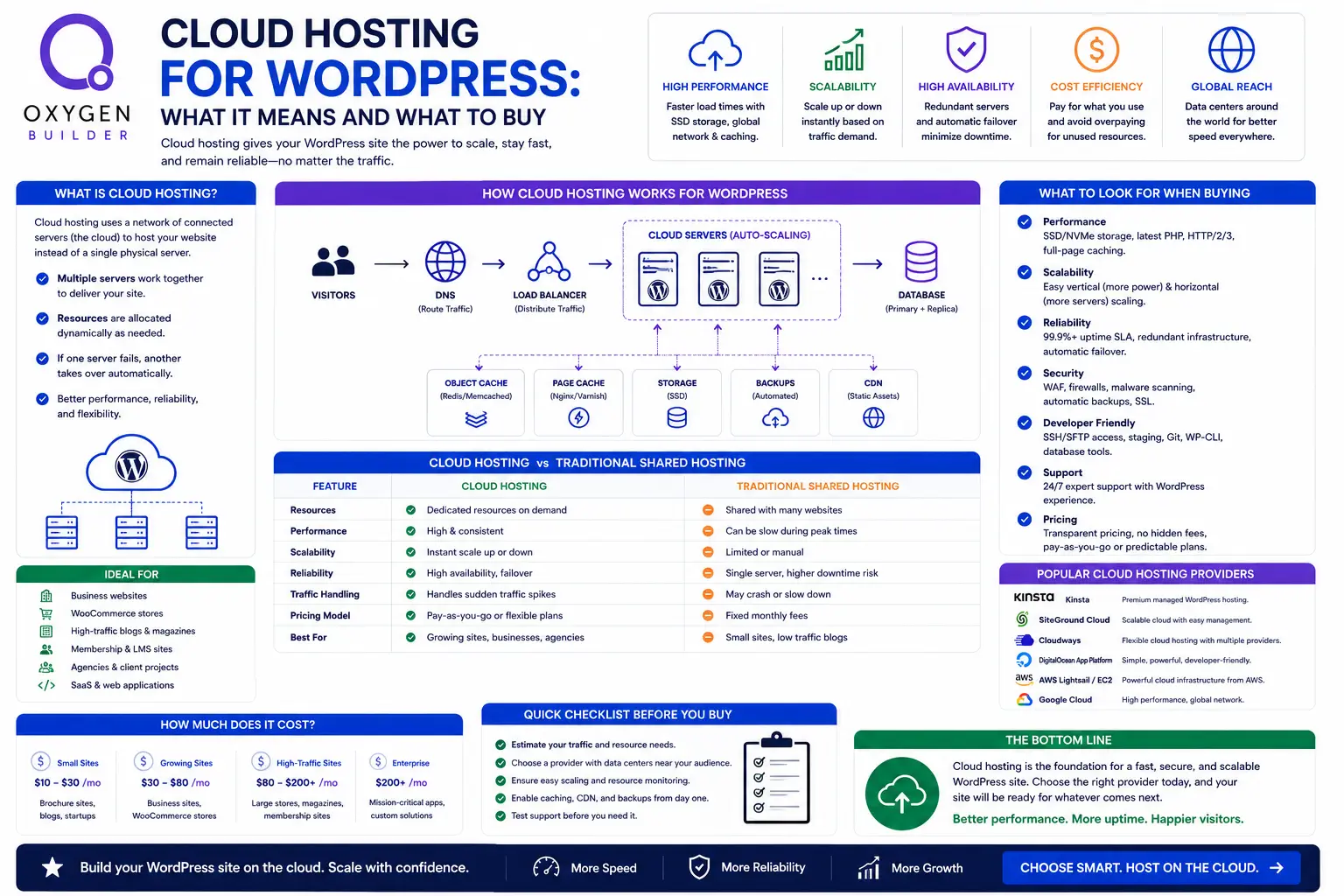
Cloud hosting is the most abused phrase in WordPress hosting. It gets attached to genuinely isolated virtual servers, to ordinary shared hosting with a new label, and to managed platforms that happen to run on someone else’s infrastructure. Those are three different products at three different prices, and the word tells you nothing about which one you are looking at.
This is what the term actually means, when it is worth paying for, and what the real options cost. Prices were checked in August 2026 against each provider’s own pricing page.
Disclosure: some links in this article are affiliate links. If you buy through them we may earn a commission at no extra cost to you. Some of the options below pay us nothing and are still the right answer for some readers.
The short answer
| What you want | Buy | From |
|---|---|---|
| Cheapest genuine isolation, you administer it | DigitalOcean or Lightsail | $6 to $12/mo |
| Cloud pricing without server administration | Cloudways | $11/mo |
| Managed platform, support included | Kinsta | $35/mo |
| A small site that is currently fine | Nothing. Stay where you are | n/a |
What cloud hosting actually means
Strip the marketing and there is one meaningful distinction: whether your site has resources allocated to it, or shares a pool with strangers.
- Genuine cloud. A virtual server with defined memory and processor allocation, which you can resize. Nobody else’s traffic spike consumes your capacity. DigitalOcean droplets, Lightsail instances and anything built on them are this.
- Shared hosting called cloud. Many accounts on one machine, with an allowance rather than an allocation, and a fair usage policy doing the real work. Perfectly serviceable, frequently good value, but the word cloud is doing marketing rather than describing architecture.
- Managed platforms. Container based infrastructure with the operating system, stack and support handled. Technically cloud, but you are buying the management rather than the architecture.
A quick test that cuts through it: if the plan advertises unlimited websites for under $10 a month, you are looking at shared hosting whatever the page calls it. Real isolated capacity has a number attached, because someone has to pay for the memory.
When it is worth moving
Four signals, and none of them is “my site feels slow”, because that is usually the site rather than the server.
- Slow at specific times. Fine at 3am, sluggish at 10am. That pattern is contention for resources and it is the clearest case for isolation.
- Slow admin and checkout while public pages are fine. Cached pages are served from a file; admin and checkout execute PHP against the database. If only those drag, you are short of processor.
- You need control the platform does not offer. A PHP extension, a specific version, object caching, a cron running more often than the host permits.
- Revenue depends on it. Once downtime costs money, isolated resources stop being a technical preference.
Before any of that, rule out the site itself. Missing page caching, uncompressed images, thirty plugins and a heavy page builder produce a slow site on any infrastructure, and migrating will not fix a single one of them. Optimise one site properly first. If it is still slow with caching in place and the server is at its limits under normal traffic, the hosting is genuinely the constraint.
What the real options cost
| Option | Type | 2GB tier | 8GB tier | You manage |
|---|---|---|---|---|
| DigitalOcean | Unmanaged cloud | $12 | $48 (4 vCPU) | Everything |
| AWS Lightsail | Unmanaged cloud | $12 | $44 (2 vCPU) | Everything |
| Cloudways | Managed cloud | $11 | $88 (4 vCPU) | Sizing only |
| Kinsta | Managed platform | $35 per site | Tiered by visits | Nothing |
Two things in that table are worth pausing on. At the 2GB tier the managed option is cheaper than running the server yourself, which makes unmanaged hard to justify for a single small site. At 8GB the managed premium is real, roughly $40 a month, and you are deciding whether administering a server is worth that to you.
Note also the vCPU column. Lightsail undercuts DigitalOcean at 8GB by supplying half the processor cores, which is the wrong trade for WordPress because PHP execution is processor bound. The tier by tier comparison is in Lightsail against DigitalOcean and Cloudways.
Managed or unmanaged
This decides more than which provider you pick. An unmanaged server hands you a machine and a root password. Everything after that is yours: web server and PHP configuration, SSL issuance and renewal, firewall rules, security hardening, operating system updates forever, backups with tested restores, monitoring, and being the person who fixes it at 2am.
If you have done that before and enjoy it, unmanaged is cheap and gives you total control. If you have not, the $11 you save is the worst hourly rate you will ever accept. There is no shame in buying the managed version. Most people running a business on their site should.
The honest middle position: managed cloud gives you isolated resources, someone else patching the server, and the ability to host several sites on one machine, which is what brings cost per site down for anyone running more than one project. If you are weighing this against per site managed platforms, the comparison is in shared against cloud against managed hosting.
How to size it
| What you are running | Sensible size |
|---|---|
| One brochure site with caching | 1GB to 2GB |
| A busy content site | 4GB |
| A small WooCommerce store | 4GB, with room to move |
| Several small sites together | 8GB, 4 vCPU |
| A store with real order volume | 8GB minimum, cores over memory |
Start smaller than you think and resize when the data says so. Cloud servers resize in minutes, which is the actual advantage of the model, and paying for capacity you have never used is the most common way people overspend here. Watch processor at peak rather than average, since averages hide the one hour a day that matters.
If traffic is genuinely unpredictable rather than merely growing, that is a different problem with a different answer, covered in auto scaling and load balancing for WordPress.
What cloud hosting will not fix
- An unoptimised site. No server compensates for missing caching and 4MB hero images. This is the single most common disappointment after a migration.
- Bad plugins. A plugin querying the database on every page load costs you the same everywhere.
- Poor Core Web Vitals from front end code. Layout shift and render blocking scripts are browser side problems. The server has already done its part.
- Your backup strategy. Isolated resources do not mean backed up. Test a restore.
If you are choosing for client sites rather than your own, the economics change from raw price to cost per client site and support burden, which we worked through in managed WordPress hosting for agencies. If your criteria are developer tooling such as SSH and Git deployment, that is in WordPress hosting for developers.
For most people arriving at this question, managed cloud is the right landing point: Cloudways from $11 a month if you want cloud pricing with the administration handled, or Kinsta from $35 if you would rather have a managed platform with expert support and no sizing decisions at all.
Frequently asked questions
What is cloud hosting for WordPress?
Hosting on a virtual server with memory and processor allocated to you rather than shared with other accounts, and which you can resize on demand. The term is used loosely, and plenty of products marketed as cloud are ordinary shared hosting. A useful test: if it advertises unlimited sites for under $10 a month, it is shared hosting with a cloud label.
Is cloud hosting better than shared hosting for WordPress?
Better under load and when you need control, and unnecessary otherwise. A low traffic site with caching configured properly performs indistinguishably on either. The point of paying for cloud is that a neighbour’s busy day cannot consume your capacity, which matters once your site earns money or gets meaningful traffic.
How much does cloud hosting for WordPress cost?
From $6 to $12 a month for an unmanaged server you administer yourself, from $11 for managed cloud where the stack and updates are handled, and from $35 for a fully managed platform per site. For one small site the difference between these is a few dollars, so decide on how much administration you want rather than on price.
Will cloud hosting make my WordPress site faster?
Only if the server was the constraint, which it usually is not. Missing caching, heavy images and plugin bloat produce a slow site on any infrastructure. Optimise properly first. Where cloud reliably helps is under traffic, on uncacheable pages such as admin and checkout, and when your current host is throttling you.
How much RAM does my WordPress site need?
One brochure site with caching sits comfortably in 1GB to 2GB. A busy content site or small store wants 4GB. Several sites on one server, or a store with real order volume, wants 8GB and the extra processor cores that come with it. Start smaller and resize, since cloud servers resize in minutes and overprovisioning is the usual way people waste money here.
Do I need technical skills for cloud hosting?
For unmanaged cloud, yes: server configuration, SSL, security hardening, updates, backups and monitoring are all yours. For managed cloud, no. You choose a size and a region and the platform handles the rest, which is why managed cloud at $11 is a better buy than an unmanaged server at $12 for almost anyone who is asking this question.
Need a WordPress developer?
Let's build something fast, scalable, and SEO-ready — from a custom theme to a full headless stack.
Get in Touch