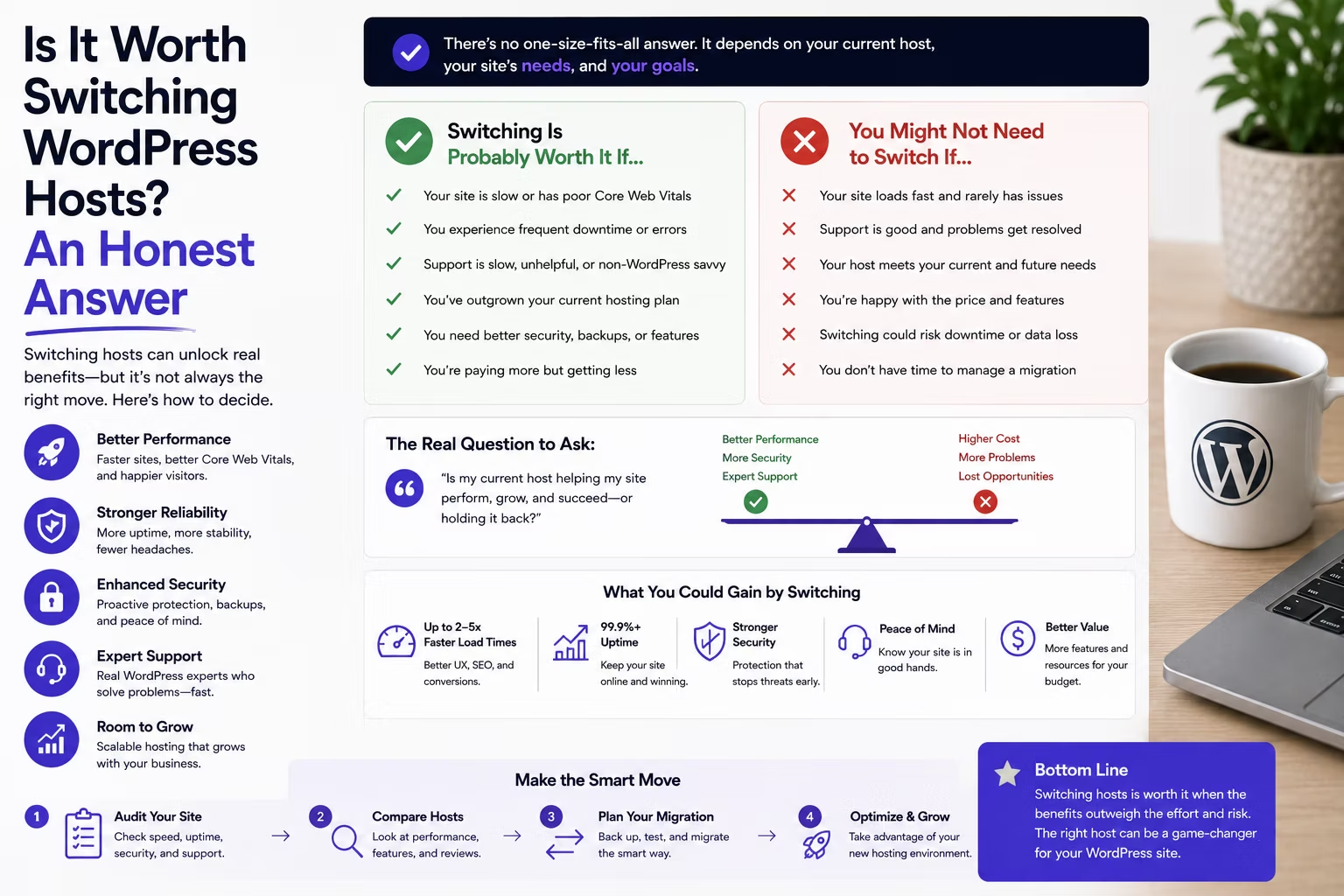
Most agencies decide to switch hosts in a bad week. A client site goes down on a Friday, support takes six hours to answer with a template, and by Monday you have three browser tabs open comparing providers. That is the worst moment to make the decision, because the thing that just annoyed you is not necessarily the thing costing you money.
This article is a way to work out whether moving actually pays, including the case for staying exactly where you are. If you finish it and decide not to switch, it did its job.
Disclosure: some links in this article are affiliate links. If you buy through them we may earn a commission at no extra cost to you. It does not change what we recommend, and where staying put is the better call we say so.
First, check whether the host is actually the problem
The most common reason agencies give for switching is that sites are slow. In most cases the host is not why. A WordPress site can be slow on excellent infrastructure for reasons no migration will fix.
- No page caching, or caching misconfigured. This is the single biggest lever, and it is free. A site serving uncached PHP on every request will be slow anywhere.
- Unoptimised images. A homepage shipping 4MB of hero imagery is slow on any server on earth.
- Plugin bloat. Thirty plugins, three of which load their assets on every page, is a code problem.
- A heavy page builder used carelessly. Nested containers and a slider above the fold cost more than a server upgrade will recover.
- A slow external call in the request path. A live feed, a CRM lookup, a font from a third party host. Your server waits, and so does the visitor.
The test is straightforward. Take the worst offending site, put a proper caching layer in front of it, compress the images, and disable plugins one at a time. If it gets substantially faster, you had a site problem, and migrating twenty sites would have cost you a month and fixed nothing. If it stays slow with everything optimised, and the server is at its limits under normal traffic, then the host is genuinely the constraint.
The reasons that do justify moving
In practice, four hold up.
- Consolidation. Sites spread across four providers means four logins, four billing dates, four support queues and four sets of quirks to remember. The hours this costs are invisible because they are spread thin, which is exactly why they never get counted. This is the strongest reason on the list and the least often cited.
- Support you can actually escalate. A site down for six hours on a client’s biggest sales day is not a hosting problem, it is a client retention problem.
- No staging. If you are editing production because your host makes staging painful, you are one bad update from a difficult phone call.
- Cost that no longer makes sense. Paying per site when your portfolio is dense enough to share servers is money left on the table every month.
Notice that none of those are about milliseconds. They are about your time, your risk, and your margin.
Count the real cost of switching
Now the other side of the ledger, because this is where optimistic plans fall apart. Per site, a portfolio move costs you roughly:
| Item | Realistic cost per site |
|---|---|
| Copying the site | 20 to 40 minutes, mostly waiting |
| Verification and fixing what broke | 1 to 2 hours |
| DNS cutover and monitoring | 30 minutes, plus a scheduled window |
| Client communication | 15 minutes, more if the account is in their name |
| Paying two hosts during overlap | 1 week to 12 months of the old bill |
Call it two to three hours a site once everything is accounted for. Across twenty sites that is fifty to sixty hours, which at any sensible agency rate is thousands of dollars of your capacity. Set that against what you save. If consolidation saves you three hours a month in admin and $150 a month in hosting, the move pays back in roughly a year. That is a reasonable investment. If it saves you twenty minutes a month and ten dollars, it does not, and no amount of better infrastructure changes the arithmetic.
There are also costs that are not hours. Client goodwill if something breaks. Renewal terms already paid on the old host. Premium plugin licences tied to a domain or IP that need reissuing. If a client’s hosting is in their own name and on their own card, you cannot move it without a conversation you may not want to have.
The three cases where you should stay put
- You have fewer than about five sites. Most of the gain from consolidating is proportional to portfolio size. With four sites there is very little to consolidate, and the per site economics of server based hosting barely apply.
- Your current host is fine and you are chasing benchmarks. Real users cannot perceive the difference between a 400ms and a 250ms response on a cached page. If your sites are healthy and support answers, the honest answer is to leave it alone and spend the fifty hours on something that earns.
- You are in the middle of anything else. A migration during a rebrand, a big launch or your busiest quarter is how you end up doing both badly. This is a quiet season job.
A fourth, more uncomfortable one: if you cannot name the specific problem you are solving, you are shopping rather than deciding. Write the problem down first. If you cannot, that is the answer.
What changes the maths
Look back at the cost table. The dominant line is not money, it is your hours. Which means the single biggest thing that can flip a marginal decision is somebody else doing the migrations.
This is worth being precise about, because “free migration” means two different things. Cloudways’ standing offer is one free expert managed migration for your first site, plus unlimited self managed migrations using their Migrator plugin, with non WordPress applications charged at $99 a site after the first. Unlimited migrations done by their engineers, rather than by you, is part of the current promotion rather than the standard deal.
The distinction matters to the decision. Under the standard offer, a twenty site move is one site handled for you and nineteen evenings of your own, so the fifty to sixty hour estimate stands almost intact. With expert led migrations across the portfolio, the copying and much of the verification moves off your desk, and the calculation changes from thousands of dollars of capacity to a coordination job. That is what turns a marginal case into a clear one, and it is time limited.
What does not move off your desk: knowing that a client’s booking form posts to an endpoint whitelisting the old server IP, or that a site’s transactional email will silently stop when SPF records still authorise the previous host. Nobody else can know those. We set out the whole portfolio process, including the things that break, in the guide to migrating a WordPress site to Cloudways.
Current offer, valid until 15 September 2026: promo code SUMMER404 gives 40% off for four months and includes unlimited expert led migrations for WordPress and WooCommerce sites, instead of the usual single free expert migration. Conditions worth knowing before you build a plan on it: it applies to new customers upgrading from a free trial to a paid plan, it excludes existing Cloudways customers, it cannot be combined with other codes, and standard pricing resumes after four months. If the move only makes sense at the discounted rate, it does not make sense. Check the current Cloudways offer and terms.
A decision you can make in an afternoon
Four questions, answered honestly.
- What specifically is wrong? Name it in one sentence. Slow, unreliable, expensive, fragmented, no staging. If you cannot name it, stop here.
- Have you ruled out the site itself? Cache, images, plugins. If not, do that first, because it is free and it might be the whole answer.
- What does it save per month, in hours and dollars? Both numbers, written down.
- Does that pay back the switching cost inside a year? Two to three hours a site plus overlap billing. If yes, move. If no, stay and revisit in six months.
If the answer is move, the next question is where, and that is a cost question as much as a technical one. We worked the per client site arithmetic in the Cloudways pricing for agencies breakdown, compared it against a per site host in the Pressable pricing article, and looked at the underlying platforms in Cloudways against Lightsail and DigitalOcean. The cheapest way to test any of it is to put one site on a free trial and leave the other nineteen exactly where they are until you are convinced.
Whatever you decide, bill for the work. Moving a portfolio to better infrastructure is a service with a real benefit, and doing it for free teaches clients that infrastructure costs nothing. Pricing a WordPress maintenance plan covers how to fold it in.
Frequently asked questions
Is switching WordPress hosts worth the hassle?
It is when you can name a specific problem and the saving pays back the effort inside a year. Budget two to three hours per site all in, plus a period paying both hosts. The strongest case is consolidating a portfolio spread across several providers, because the admin hours you recover are ongoing. The weakest is chasing faster benchmarks on sites that are already healthy.
Will switching hosts make my WordPress site faster?
Only if the server was the constraint, and usually it is not. Missing page caching, oversized images, plugin bloat and a heavy page builder produce a slow site on any infrastructure. Optimise one site properly before moving twenty. If it is still slow with caching in place and images compressed, and the server is maxed under normal traffic, then a move will help.
How long does it take to move a client portfolio?
For twenty sites, plan four to six weeks at three or four sites a week rather than attempting it in one weekend. Copying a site is quick. Verification, scheduling DNS cutovers around client availability, and monitoring afterwards are what take the time. Expert led migrations shorten the copying and verification, not the coordination.
Do I have to pay two hosts during a migration?
Yes, and you should. Keeping the old server running for at least a week after cutover is your rollback, and it costs a few dollars. The awkward case is a site that just renewed for a year on the old host, where you either write off the remaining term or wait. Sequencing the move around renewal dates is usually cheaper than a clean sweep.
Do I need my client’s permission to change hosts?
If the hosting account is in their name or on their card, yes, you need it before anything moves. Where you own the account and hosting is part of your service, you do not strictly need permission, but tell them anyway. A short note saying the site is moving to faster infrastructure on a given date turns a mystery into a service, and means they call you rather than assuming they were hacked if something looks off.
Should I wait for a hosting promotion to switch?
Do not let a discount decide it. Promotional pricing is usually a few months, after which you pay the standard rate, so a decision that only works at the promotional price is a bad decision with a delayed bill. Offers that remove work rather than money are different: free expert led migrations genuinely reduce the largest cost of switching, which is your hours, and that is worth timing around.
Need a WordPress developer?
Let's build something fast, scalable, and SEO-ready — from a custom theme to a full headless stack.
Get in Touch