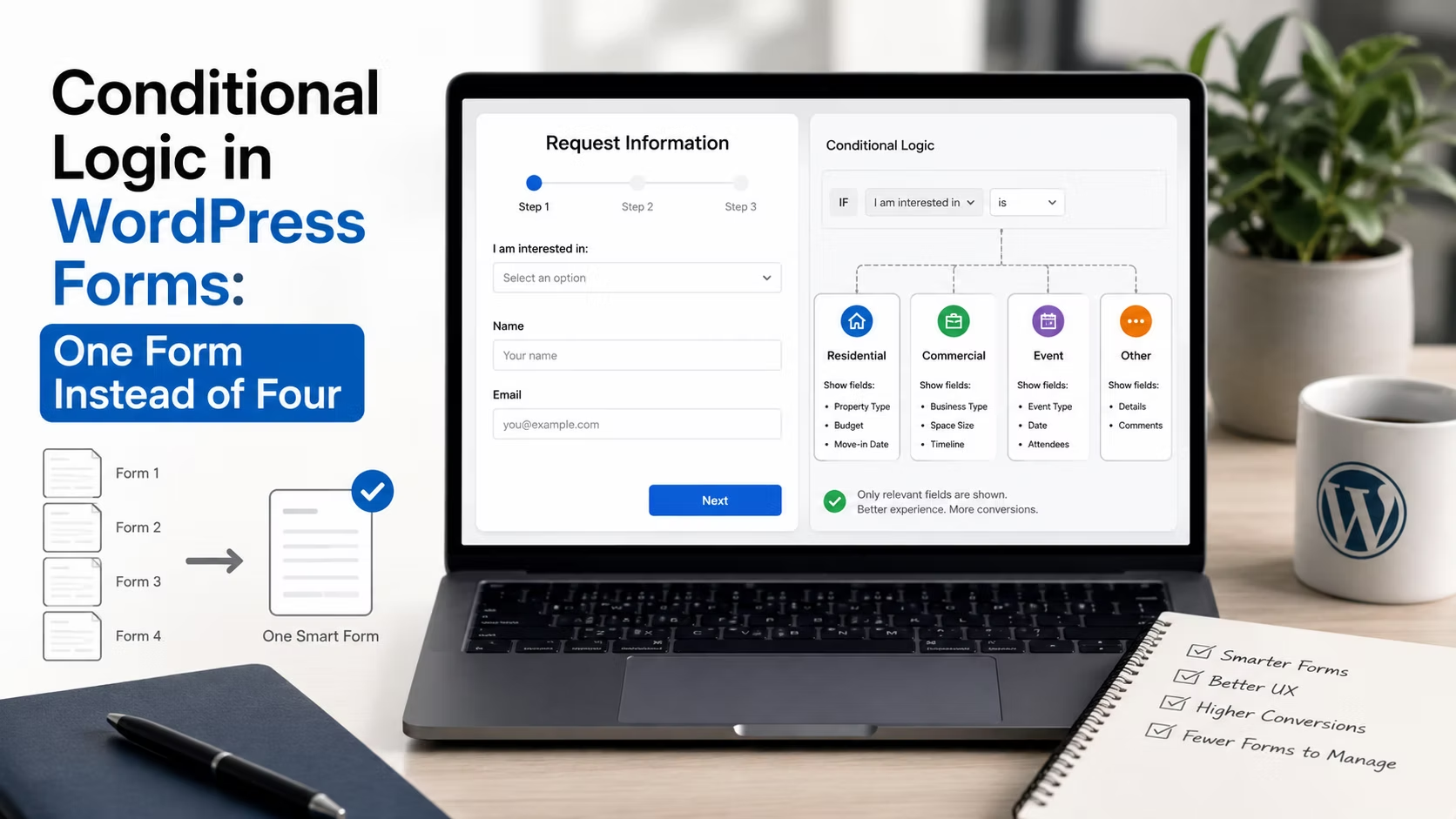
Look in the forms list on any client site that has been running for three years. There will be four of them: Contact, Contact (new), Quote Request, and Quote Request 2024. Three are linked from somewhere, nobody is certain which, and the notification on one of them still goes to a staff member who left.
That mess is almost always a conditional logic problem. The forms are near-identical, differing in two or three fields and where the email goes, and they multiplied because it was easier to duplicate than to make one form adapt.
Disclosure: some links in this article are affiliate links. If you buy through them we may earn a commission at no extra cost to you. It does not change what we recommend.
Conditional logic is not just showing and hiding fields
Most people know the field-level version: choose Commercial and a commercial-only question appears. That is the smallest part of what the feature does.
Three other applications do more work:
- Conditional notifications. Route the submission to different people based on an answer. Sales enquiries to one address, support to another, careers to a third. This alone replaces most duplicate forms.
- Conditional confirmations. Show a different message or redirect to a different page depending on what was selected. A booking enquiry can land on a page with the address and parking details, a job application on one explaining the timeline.
- Conditional required fields. Make a field mandatory only when it is relevant, instead of forcing every visitor through a question that applies to a quarter of them.
Conditional logic is core functionality on both major commercial plugins rather than a paid add-on. Gravity Forms lists conditional logic among its core features, and the WPForms pricing page shows smart conditional logic in its core feature set across the paid tiers, so this is not a reason on its own to move up a plan.
Replace four forms with one
The consolidation pattern is straightforward once you see it.
- Add one question at the top: what are you contacting us about? Keep the options to four or five.
- Group the fields each option needs and show them only for that option.
- Set one notification per option so it reaches the right person automatically.
- Set one confirmation per option so the visitor gets an accurate expectation of what happens next.
- Delete the old forms and redirect any pages that embedded them.
The maintenance benefit is what justifies the work. One form to update when the spam settings change, one place the notification address lives, one entries table to search when somebody asks whether an enquiry arrived. Multiply that across a portfolio and it is a genuine reduction in the number of things that can quietly break.
Where it goes wrong
| Mistake | What happens | Fix |
|---|---|---|
| Hidden fields still required | Form cannot be submitted and shows no reason | Make required conditional too |
| Rules chained too deeply | Nobody can work out why a field appeared | Two levels maximum |
| Hidden fields still sent to the CRM | Empty values overwrite good data | Exclude hidden fields from the payload |
| Logic used to hide a price | Value is still in the page source | Never treat hidden as secure |
| No default notification | A new option routes nowhere | Keep a catch-all recipient |
The first row is the one that costs real enquiries. A field that is hidden by conditional logic but still marked required will block submission with a validation error pointing at something the visitor cannot see. They try twice and leave, and the client never learns the form existed in that state.
The fourth row matters more than it looks. Conditional logic is presentation, not security. A hidden field is present in the markup and can be read or manipulated by anyone who opens developer tools, so never use it to hide a discount, an internal reference or a price a visitor should not see.
Keep the logic readable a year from now
Conditional logic is code, written in a settings panel, and it decays like code. Someone will inherit it, possibly you.
Three habits keep it maintainable. Name fields descriptively, because Project type is a rule you can read and Dropdown 3 is not. Keep conditions shallow, since a field that depends on a field that depends on a field is where debugging time disappears. And write down the routing map somewhere outside the form: which answer sends to which address, and which confirmation each option shows. That single note is what makes a handover survivable, in the same way the wider client handover checklist does for the rest of the build.
Test every branch, not just the happy path
A conditional form has as many versions as it has combinations, and testing one of them proves very little.
- Submit once per top-level option and confirm the right person receives it.
- Confirm the correct confirmation message or redirect fires for each.
- Check the entry record shows only the fields that were genuinely shown.
- Test on mobile, where fields appearing and disappearing causes layout jumps that are easy to miss on a desktop.
- Switch an answer back and forth before submitting, and confirm no stale value from an abandoned branch is submitted.
That last check catches a real and common bug. A visitor selects Commercial, fills in two commercial fields, changes their mind and selects Residential. Depending on configuration, those commercial values may still be sitting in the submission. Whether that is a nuisance or a data protection issue depends on what the fields were.
A worked example
A building firm had three forms: general enquiry, new build quote, and extension quote. Two received almost no submissions because they were linked from pages nobody visited, and the general form received everything, including quote requests with no detail at all.
One form, one first question with three options, three notification rules and three confirmations. Extension and new build enquiries now arrive with the fields needed to price them, general enquiries stay short, and the office manager stopped forwarding messages by hand. Nothing new was built. The capability was already in the plugin licence they had been paying for.
That is the usual outcome. Most sites are not missing a feature, they are running four forms because duplicating one was quicker two years ago, which is the same instinct behind most of the common mistakes that pile up in a WordPress build.
Frequently Asked Questions
Is conditional logic available in free form plugins?
Sometimes, in a limited form. Several free tiers include basic show and hide rules, but conditional notifications and conditional confirmations, which are where most of the value sits, are generally paid features. On the two major commercial plugins conditional logic is core functionality rather than a top tier add-on.
Does conditional logic slow a form down?
Not noticeably. The rules are evaluated in the browser on fields that are already loaded, so there is no additional request when a field appears. What can affect performance is a form plugin loading its scripts on every page of the site rather than only where a form exists, which is a separate setting worth checking.
Can I hide a field but still submit a value from it?
Yes, and that is a normal pattern for internal reference values such as which page the form was submitted from. Just remember the value is visible in the page source, so it must never be anything sensitive, and confirm whether hidden fields are included in what gets sent to a CRM.
How many conditional rules is too many?
The limit is comprehension, not performance. If you cannot explain in one sentence why a field appears, the logic is too deep. Two levels of dependency is a good ceiling. Beyond that, splitting into a multi-step form is usually clearer for both the visitor and whoever maintains it.
Should I consolidate forms on an existing site?
Yes, where they are near-identical, and do it deliberately. Audit which forms exist, which pages embed them and where each notification goes, then build the replacement, switch the embeds, and keep the old entries rather than deleting the forms outright. The audit alone usually finds at least one notification going to somebody who no longer works there.
One form with clear branching beats four that drift apart. Route by answer, keep the rules shallow, never treat hidden as secure, and test every branch before handover.
Need a WordPress developer?
Let's build something fast, scalable, and SEO-ready — from a custom theme to a full headless stack.
Get in Touch