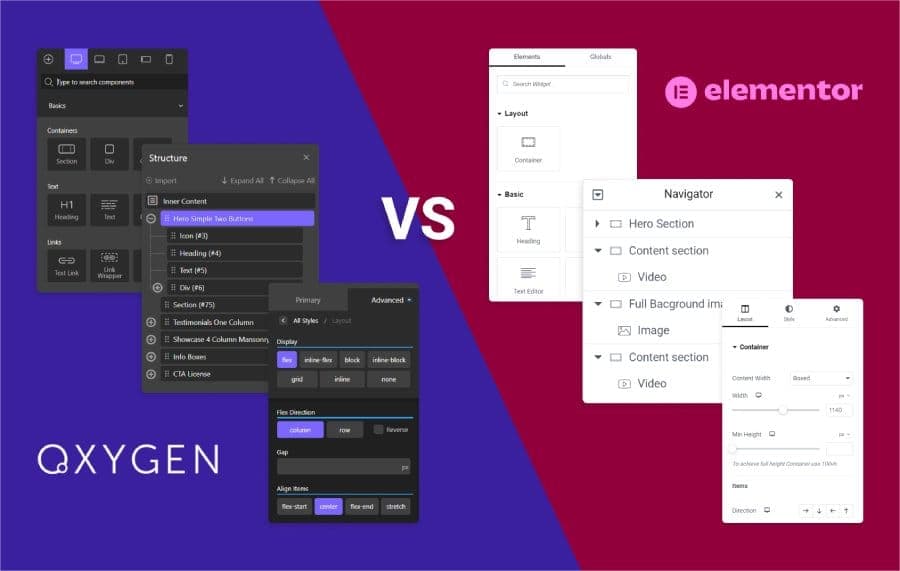
Two builders, two completely different bets. Elementor bets that speed of execution matters most, and that you will optimise the output later. Oxygen bets that clean output is worth a harder first week, and that you will never have to optimise it at all.
For an agency the choice is not aesthetic. It decides your build times, your renewal bill, what your junior staff can safely touch, and how much post-launch work each site generates. Here is the comparison written from that angle, including the cases where Elementor is the right answer and Oxygen is not.
Disclosure: some links in this article are affiliate links. If you buy through them we may earn a commission at no extra cost to you. It does not change what we recommend.
The verdict, up front
For an agency or developer running multiple client sites, Oxygen Builder is the better long-term platform. It outputs leaner markup, gives you full structural control, and its one-time unlimited-site licence removes a renewal that otherwise grows with your client list.
For a solo designer, a marketer, or a team where non-developers need to ship pages without help, Elementor is the better tool and it is not close. Its ecosystem, template library and learning curve are genuine advantages, not consolation prizes.
The honest summary is that Oxygen wins on architecture and economics, Elementor wins on accessibility and ecosystem, and the right answer depends entirely on who is going to be using it after you hand it over.
Oxygen and Elementor at a glance
| Oxygen Builder | Elementor Pro | |
|---|---|---|
| Approach | Class-first, CSS control | Widget-based, visual-first |
| Theme layer | Replaces the theme entirely | Runs on top of a theme |
| Code output | Lean by default | Heavier; benefits from optimisation |
| Learning curve | Steep, front-loaded | Gentle |
| Licensing | One-time, unlimited sites | Annual subscription |
| Ecosystem | Smaller, focused | Very large third-party market |
| Client can safely edit | Only what you expose | Yes, by design |
| Best suited to | Agencies and developers | Solo designers, marketers, fast launches |
Everything below is the detail behind those rows.
Core philosophies: widget-based against class-first
The philosophical difference dictates the code quality of every site you build with either tool, so it is worth understanding before the feature comparison.
The Elementor model: widgets and inherited structure
Elementor’s success is built on a visual drag-and-drop interface that relies on widgets. Building a complex page tends to produce nested layers of non-semantic HTML to achieve the intended layout. That makes the platform intuitive for people who do not write CSS, and it has historically produced heavier output, the pattern developers refer to as div-ception. The consequence for an agency is that speed work becomes a post-build task rather than something the source code gives you for free.
The Oxygen model: code and class mastery
Oxygen approaches visual development the way a front-end framework does. You design visually while defining and controlling styling through custom CSS classes and direct structural manipulation. The output stays clean and maintainable, and styles can be enforced globally rather than reapplied per element. For a team with shared standards, that is the difference between a design system and a collection of pages that happen to look similar.
Elementor is moving in Oxygen’s direction
Worth saying plainly, because it undercuts the lazier version of this argument: Elementor has begun adopting a CSS-first framework in its Editor V4 work, introducing reusable classes and states. That is an acknowledgement that code purity now matters at the high end, and it validates the approach Oxygen took from the start. It does not erase the architectural debt of earlier iterations overnight, but anyone claiming Elementor is standing still is not paying attention.
Performance and code bloat
Performance is not a vanity metric for an agency. It shows up in client SEO, in bounce rates and in how many support conversations you have about a slow site six months after launch.
Most page builders carry what is fairly described as a bloat tax: animation styles, icon libraries and motion effects loaded on every page whether the design uses them or not. Oxygen’s advantage is that it generally loads only the scripts and styles the page’s design actually needs, which is why Oxygen sites tend to post strong PageSpeed and Lighthouse results without a separate optimisation pass.
On raw output the gap is large. Independent testing cited in our earlier analysis put Oxygen’s output at roughly 25 times leaner than Elementor on a blank-page comparison. Treat that number for what it is: a blank page is the most flattering possible test for a lean builder, and no real client site is a blank page. The direction is right even if the multiple is not what you will see in production.
What matters in practice is Core Web Vitals on a real build. Oxygen’s architecture starts closer to passing Largest Contentful Paint, Cumulative Layout Shift and Total Blocking Time without remedial work. Elementor can absolutely be made fast, but you are spending time to get there, and that time is either billable to the client or coming out of your margin. The full methodology and numbers live in our WordPress page builder performance benchmarks.
One caveat that applies to both: no builder rescues bad hosting, unoptimised images or a stack of third-party scripts. Builder output is one variable among several, and usually not the largest.
Design flexibility and global styling
Design flexibility is a term worth defining, because both vendors claim it. For a professional build it means the capacity to translate any visual concept into a working site without the software imposing limits.
Oxygen’s CSS-first approach gives deep control over the class system and the final HTML. Because visual elements are treated as HTML and CSS components, you can apply custom styling, complex media queries and granular adjustments to reach a pixel-perfect result. That is what makes genuinely bespoke work possible rather than approximately possible.
Elementor Pro works within a widget-defined structure, with a large template library and 90 or more widgets. That is fast for standard sites and it is genuinely productive. It becomes restrictive when a design pushes past what the default elements were built to do, and the usual outcome is either a compromise on the design or extensive template modification that erodes the speed advantage you chose Elementor for.
For multi-page client sites, global styling is where Oxygen earns its keep. Variables let you define global styling principles once and have changes propagate across the whole site, and saving sections, headers, footers or entire templates as reusable components makes each new page faster than the last. On a fifty-page site that compounds.
Theme building capability
Oxygen is not only a page builder. It replaces the site’s theme entirely, which means full control over the whole structure: archive pages, custom post type layouts, headers and footers included. Nothing in a theme hierarchy constrains what you can build, and there are no theme-related conflicts to debug because there is no theme.
That cuts both ways, and it is worth being honest about it. Removing the theme layer also removes the safety net. A client cannot switch theme to escape a bad build, and if they ever leave Oxygen they are rebuilding, not migrating.
Elementor Pro’s Theme Builder covers the same ground for a different audience, visually and without code. For an organisation where non-developer staff need to deploy standard designs quickly, that is the more appropriate tool, not the lesser one.
Dynamic data and complex builds
Where a project involves custom post types, taxonomies and custom fields rather than pages of text, Oxygen’s built-in dynamic data handling goes further than Elementor’s native equivalent. Its integration with Advanced Custom Fields is the practical route to structured, data-driven client platforms: property listings, member directories, product specification tables, staff directories that stay maintainable at a few hundred entries.
This is the clearest signal of who each tool is aimed at. Oxygen is oriented toward complex, high-value builds where the data model matters as much as the layout. Elementor is oriented toward getting a good-looking site live quickly, and for a brochure site that is the more sensible priority. If your work is mostly the former, the setup we use is documented in our guide to Oxygen Builder integrations for agencies.
Oxygen also supports custom PHP, JavaScript and CSS directly, so the builder stops being a boundary on what the site can do. On a complex build that is the difference between solving a problem and working around a tool.
Agency economics and lifetime licensing
Performance is the technical argument. Licensing is the one that shows up in your accounts.
Elementor Pro is affordable for a single site and renews annually, which means the cost scales with your client portfolio. Every site you add is another line on a bill that arrives every year, forever, and it is an operating expense that grows precisely as you succeed.
Oxygen sells a one-time fee for an unlimited-site licence, with lifetime updates and support included. The Ultimate licence is listed at $179. Across a portfolio that converts a recurring, growing cost into a single fixed asset, and the per-site cost falls every time you add a client rather than rising.
Two honest qualifiers. A lifetime licence is only as good as the company standing behind it, and that bet has gone badly for WordPress agencies before, so it is a risk rather than a free lunch. And prices move, so verify the current figure before you put it in a proposal. The five-year arithmetic is worked through in our Oxygen Builder pricing and lifetime deal comparison.
Operational efficiency and workflow
Agencies run on labour, and this is where the licence saving is often the smaller number.
Oxygen’s class-first system and reusable components streamline complex custom builds. Agency developers report that edits and customisations which used to take hours can be done in minutes once the class structure is in place. That is a real compounding gain, though it is worth noting it arrives only after the team has genuinely learned the tool.
There is a recruitment argument too. Developers generally prefer tools that give them structural control and clean code, because it means less time debugging someone else’s markup. And because the licence is a fixed, permanent asset rather than a renewing subscription, there is a financial reason to train staff deeply in it rather than hedging.
Why we prefer Oxygen
Speaking personally rather than as a spec comparison: I reach for Oxygen on almost every build where I own the maintenance.
The reasons are unglamorous. Clean output means fewer performance conversations later. Full control of the DOM means I am never fighting a theme to place something. The unlimited licence means adding a client costs nothing in tooling. And direct support for custom PHP, JavaScript and CSS means the builder never becomes the reason something cannot be done.
It is also a genuinely harder tool. It can feel like a maze for the first week, and the class-first workflow only pays off once you commit to it properly. If you are not going to invest that time, you will get worse results from Oxygen than from Elementor, and that is a fair reason to choose otherwise.
The lock-in question nobody asks until later
Both tools lock you in, in different ways, and it is worth pricing that before you commit a client portfolio to either.
Elementor stores its layouts as shortcode-like data. Deactivate it and pages do not gracefully degrade, they break. Oxygen goes further: because it replaces the theme outright, turning it off leaves you with content and no presentation layer at all. Neither is a migration you can do on a Friday afternoon.
The practical consequence is that a builder decision is effectively permanent for the life of the site, which is an argument for deciding it deliberately rather than defaulting to whatever the last project used. It is also an argument for keeping content in normal WordPress fields wherever you can, so that whatever happens to the builder, the content survives.
Who should choose Elementor
No comparison is credible if it concedes nothing, so here are the cases where Elementor is straightforwardly the better decision.
- The client will edit their own site. Elementor is designed for a non-technical owner to open a page and change it safely. Oxygen is not, and pretending otherwise creates support tickets.
- Non-developers are building pages. Marketers and designers without CSS can be productive in Elementor within a day. In Oxygen they need a developer, which changes your staffing model.
- Speed of delivery is the whole proposition. A large template library and a huge add-on market genuinely shorten the path from brief to launch on standard brochure sites.
- You are inheriting or subcontracting. Far more freelancers know Elementor. Handing an Oxygen site to a new team is a harder conversation, and hiring for it takes longer.
- The design is conventional. If the layout fits what widgets already do, Oxygen’s flexibility buys you nothing and costs you time.
If several of those describe your situation, Elementor Pro is the right purchase and the performance gap is a manageable engineering problem rather than a reason to choose differently.
If you want the wider field rather than these two, our ranked guide to the best WordPress page builders for agencies covers Bricks, Breakdance, Divi and the block editor alongside both of these, and the underlying mechanics are explained in how WordPress builders actually work.
Frequently Asked Questions
Is Oxygen Builder better than Elementor?
For agencies and developers running multiple client sites, generally yes, on code output, structural control and licence cost. For a solo designer, a marketer or a team where non-developers publish pages, Elementor is the better tool. The question is not which is stronger in the abstract but who will be maintaining the site after handover.
Does Oxygen Builder replace the WordPress theme?
Yes, entirely. Oxygen takes over template rendering, so you control the full structure including archives, custom post type layouts, headers and footers, with no theme hierarchy limiting you. The trade-off is that there is no theme to fall back on, and moving off Oxygen later means rebuilding rather than migrating.
Is Elementor really slower than Oxygen?
Its default output is heavier, largely because widget-based layouts produce more nested markup and the platform loads assets that a given page may not use. Elementor can be made fast with disciplined asset control, caching and good hosting. The difference is whether performance is where you start or somewhere you have to get to.
Is Oxygen’s lifetime licence actually cheaper?
Across a portfolio, usually yes, because a one-time unlimited-site fee replaces a subscription that grows with your client count. The Ultimate licence is listed at $179. The risk is vendor risk: a lifetime licence is only as good as the company honouring it, which is a real consideration rather than a technicality.
Can a client edit an Oxygen site themselves?
Only what you deliberately expose to them, which is a feature for agencies and a limitation for everyone else. Elementor is built so that a non-technical owner can open a page and change it. If the client expects to self-serve after handover and will not be paying you a retainer, that difference matters more than any performance number.
Is Elementor still worth learning in 2026?
Yes. It has by far the largest ecosystem, the deepest pool of freelancers who already know it, and its Editor V4 work is moving it toward the class-based approach its critics asked for. If you inherit client sites, work with non-technical teams, or need to hire quickly, Elementor familiarity remains genuinely valuable.
Pick the tool that matches who maintains the site, not the one that wins a spec sheet. If that is your own team and you are building for performance and margin, Oxygen. If it is a client, a marketer, or a deadline, Elementor. Both build good websites; they are answering different questions.
Need a WordPress developer?
Let's build something fast, scalable, and SEO-ready — from a custom theme to a full headless stack.
Get in Touch