Most freelancers pick a theme per project. It feels flexible. It is actually expensive.
Every new theme means a new settings panel to learn, a new set of hooks to remember, and a new support forum to search at 11pm when a client’s footer breaks. Multiply that by twenty sites and you are not running an agency. You are running twenty small, unrelated maintenance contracts.
Disclosure: some links in this article are affiliate links. If you buy through them we may earn a commission at no extra cost to you. It does not change what we recommend.
Standardizing on one theme fixes that. You learn one system deeply, build one child theme, write one handover document, and reuse all three forever.
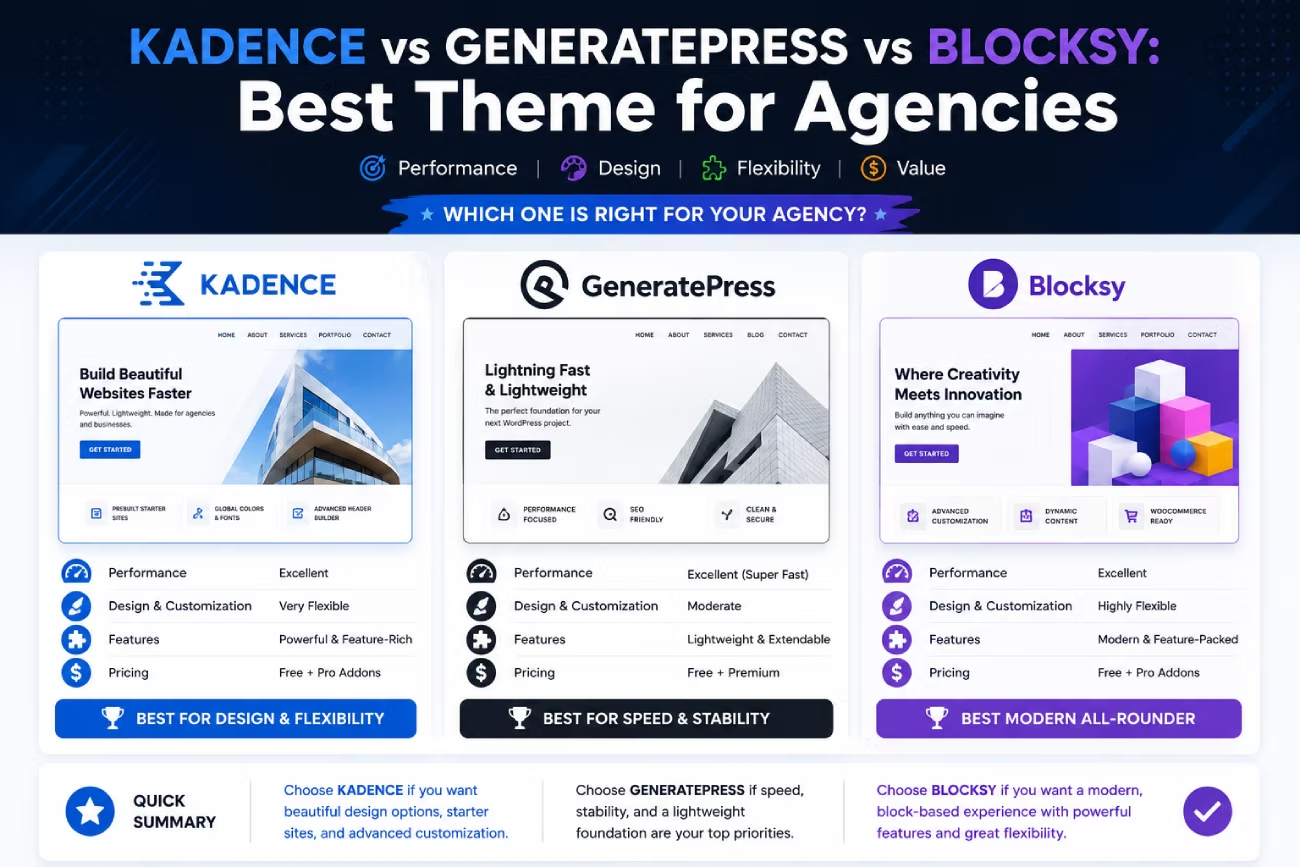
The three names that come up every time are Kadence, GeneratePress and Blocksy. This is a Kadence vs GeneratePress vs Blocksy comparison written for the person who has to maintain the site in two years, not for the person publishing one blog.
The quick verdict
If you want the short version:
- Blocksy is the safest bet for most freelancers in 2026. It is the only one of the three that still sells a lifetime license and still offers a genuinely unlimited-site tier, and it gives you the most design control without a page builder.
- GeneratePress is the pick if speed and code discipline matter more than a pretty settings panel. It is the leanest, the most predictable, and the easiest to hand to another developer.
- Kadence gives non-technical clients the friendliest editing experience and the strongest free version, but its licensing changed hands and its pricing page no longer tells you how many sites a license covers.
Everything below is the reasoning.
Side-by-side comparison
| Kadence | GeneratePress | Blocksy | |
|---|---|---|---|
| Maintained by | StellarWP / Liquid Web | Tom Usborne (edge22) | CreativeThemes |
| Active installs | 500,000+ | 500,000+ | 300,000+ |
| Directory rating | 4.9 / 5 (451 reviews) | 5 / 5 (1,426 reviews) | 5 / 5 (870 reviews) |
| Last theme update | July 2026 | December 2025 | August 2026 |
| Free version | Generous | Deliberately minimal | Generous |
| Paid entry point | $99/year (Essentials) | $59/year (GP Premium) | Tiered by site count |
| Sites per license | Not published on the pricing page | Up to 500 | Up to unlimited on the top tier |
| Lifetime license | No | No | Yes |
| Own block plugin | Kadence Blocks | GenerateBlocks | None |
| Header and footer builder | Included | Premium module | Included |
| White label | Top tier only | No | Agency tier only |
| True block / FSE theme | No | No | No |
Install counts, ratings and update dates come from the WordPress theme directory and were checked in August 2026. Prices move. Check the vendor page before you buy.
License cost is the thing that actually decides this
For a single site, a $40 price gap is noise. Across a portfolio, licensing is the whole argument.
Here is what changed, and it is the single most important development in this category.
GeneratePress no longer offers unlimited sites. The company capped license activations at 500 and removed the lifetime option for new customers. GP Premium is $59 a year. GeneratePress One, which bundles GP Premium with GenerateBlocks Pro and GenerateCloud, is $149 a year. Both cover up to 500 sites.
For a freelancer, 500 sites is effectively unlimited. The real change is the loss of the lifetime license. You are now on a subscription, permanently.
Kadence moved house. Kadence’s own domain now redirects to Liquid Web’s Kadence product page, and the theme in the directory is published by StellarWP. Plans run $99, $299 and $499 a year for Essentials, Pro and Elite. White labeling and multi-site management sit in the Elite tier.
Here is the part that should make an agency pause: the current pricing page does not state how many sites each plan covers. That is not a small omission when your entire client portfolio depends on the answer. Read the license terms at checkout before you commit a business to it.
Blocksy is the last one standing on lifetime. Its plans are tiered by site count, the top tier covers unlimited activations, white labeling is exclusive to that tier, and both annual and one-time pricing are still sold. Confirm the current figures on the Blocksy pricing page, because this is the number that moves most often.
The pattern across the whole market is the same one we covered in our guide to pricing and licensing WordPress themes and plugins: unlimited licenses are quietly disappearing, and the vendors doing it are the ones with new owners.
Do the math on your own portfolio, not on a review site’s. Take your license cost, divide by the number of client sites you actually run, and add it to your monthly care plan. If the number is under a dollar per site per month, the price argument is over and you should decide on everything else.
Page builder compatibility
All three themes are compatible with all the major page builders. That sentence is true and almost useless, so here is the practical version.
A theme and a builder overlap. Both want to control the header, the footer, the page width and the typography. When you run a builder on top of a theme, you are usually paying for two systems and using half of each. Our breakdown of how WordPress builders actually work covers why that overlap costs you performance.
- Elementor works cleanly on all three. Kadence and Blocksy both let you switch their own header builder off so Elementor’s takes over. GeneratePress is the least opinionated host, which is exactly why developers pair it with builders.
- Bricks and Oxygen replace the theme almost entirely. If that is your workflow, the theme choice barely matters, and you should be reading our page builder guide for freelancers instead.
- Block editor only is where the three genuinely differ, and it is covered next.
If you are standardizing on a theme *and* a builder, pick the lightest theme you can live with. That is GeneratePress. If you are standardizing on a theme *instead of* a builder, pick the one with the most built-in design control. That is Blocksy.
Block editor and full site editing: none of them are what you think
This trips people up, so be clear about it.
None of these three is a block theme. Not Kadence, not GeneratePress, not Blocksy. All three are classic themes. They configure through the WordPress Customizer and their own settings panels, not through the Site Editor. None of them ships block templates for your header and footer.
What they do offer is strong block *editor* support. Your pages and posts are built with blocks. Your site structure is not.
- Kadence has the deepest block story. Kadence Blocks is a full block library with its own row layouts, and it works on other themes too.
- GeneratePress pairs with GenerateBlocks, which takes the opposite approach: a handful of primitive blocks you compose yourself. Less hand-holding, far cleaner markup.
- Blocksy has no block plugin of its own. It puts the design controls in the theme instead and expects you to bring your own blocks.
Whether that matters depends on your bet. If you think full site editing is where WordPress ends up, all three of these are a detour, and you should know that going in. If you think the Customizer will keep working for years, which is the safe read for client sites, all three are fine.
Performance out of the box
GeneratePress wins this and it is not close. It ships the leanest front end of the three, loads no jQuery, and adds almost nothing you did not ask for. It is the theme you choose when a client’s Core Web Vitals are the deliverable.
Blocksy is a strong second. It is modular, so features you do not enable do not load.
Kadence is the heaviest of the three, mostly because it does the most by default. That is a fair trade if you want the features, and a bad one if you do not.
Be honest about the size of this difference, though. On a real client site, your theme is rarely the bottleneck. Images, fonts, a tracking script and four plugins doing overlapping work will cost you far more than any of these three ever will. We wrote about that specific frustration in why a WordPress site still loads slowly after optimization.
A lean theme plus a proper caching layer such as WP Rocket will beat a heavy theme plus five free speed plugins every time, and it will be easier to explain to the client.
Child theme and developer workflow
If you standardize, you will build one child theme and reuse it on every project. So the question is how much fighting the parent theme does.
GeneratePress is the best here. It is hook-driven. Its Elements module lets you attach content to hooks from the admin, and anything you cannot do there you do in a child theme with standard WordPress patterns straight out of the child theme documentation. Another developer can read your work.
Blocksy is close behind and has a real advantage: it can generate a child theme for you from its dashboard. Small feature, saves ten minutes on every build.
Kadence also supports child themes and ships a child theme builder in its paid plans. Its hook system is less exposed than GeneratePress’s, so you will spend more time in the settings panel and less in code. Whether that is good or bad depends on who you are.
One warning that applies to all three: the more you configure in the theme’s own panel, the harder the site is to migrate. Settings live in the database, not in files you can version. Keep your logic in the child theme where you can.
The handover test: what your client sees
This is the part most comparisons skip, and it is the part that decides whether you get support tickets for the next three years.
Kadence is the easiest handover. The settings are visual, the labels are plain English, and the starter templates give clients a mental model of what they are editing. A non-technical client can change their logo, their colors and their footer without calling you.
Blocksy is a close second. Its Customizer is well organized and the live preview is genuinely live. There is more of it, though, which means more places for a client to click something they should not.
GeneratePress is the hardest handover. The admin gives the client very little, because the theme deliberately gives you very little. That is fine when you keep the maintenance contract. It is a problem when the client wants to self-manage, because half of what they will want to change lives in your child theme.
There is a fix that works with all three: lock down what the client can reach. A well-chosen set of admin and role plugins, like the ones in our list of plugins every freelance designer should use, turns any of these themes into a safe handover.
Best for X
Best for client work you will keep maintaining: GeneratePress. Fastest, cleanest, most predictable, and you are the one touching it.
Best for clients who will self-manage: Kadence. The editing experience is the friendliest of the three, and that is worth real money in saved support hours.
Best for design freedom without a page builder: Blocksy. It has the most built-in layout control, so a lot of sites simply do not need a builder at all.
Best for a large portfolio on a tight budget: Blocksy, on a lifetime license at the unlimited tier. It is the only one of the three where you can still stop paying.
Best for WooCommerce: Blocksy. Its shop features are deeper in the theme itself, where Kadence puts several of them behind a higher tier.
Best free version: Kadence or Blocksy. GeneratePress free is intentionally bare.
Best if another developer might inherit the site: GeneratePress. Standard hooks, standard patterns, no proprietary system to reverse engineer.
Where each one actually hurts
No theme review is useful without this part.
Kadence’s problem is uncertainty. The ownership changed, the domain redirects to a hosting company, and the pricing page stopped publishing site limits. The product is still good. The risk is that you standardize a whole portfolio on terms you cannot currently read.
GeneratePress’s problem is that it does very little. The free version is close to a blank page, the client-facing admin is thin, and the theme went eight months between updates while the other two shipped. For a mature, stable product that is arguably a feature. It still means you are the one building everything.
Blocksy’s problem is scope creep. It has an enormous number of options. That is why people love it, and it is also why a Blocksy site configured by one person can be genuinely confusing to the next. Discipline is on you.
All three share one risk: they are Customizer-based classic themes in a WordPress that keeps investing in the Site Editor. That is not an emergency. It is a direction you should be aware of before you commit five years of client work to it.
So what should you standardize on?
If you are choosing today and you want one answer: Blocksy.
It gives you the most capability per dollar, it is the only one that still lets you buy out of a subscription, its unlimited tier is real, its update cadence is the fastest of the three, and its handover experience is good enough for most clients.
Take GeneratePress instead if your work is performance-led, your clients stay on retainer, and you would rather write code than click through panels.
Take Kadence instead if most of your clients self-manage and support hours are your biggest cost. Read the license terms first.
The wrong answer is the one most freelancers pick: a different theme every time.
If you would rather not standardize on a theme at all
There is a legitimate fourth option. Skip the theme decision and standardize on a builder that replaces the theme layer entirely.
That is the case for a developer-first tool like Oxygen Builder, which is not a theme at all and gives you full control of the markup. The trade-off is real: the handover gets harder, and your client cannot safely touch the layout. We compared that approach directly in Oxygen Builder vs Elementor compared for agencies.
Pick one lane. A theme-first stack or a builder-first stack. The expensive choice is running both, badly, on every project.
Frequently Asked Questions
Is Kadence, GeneratePress or Blocksy the best theme for agencies?
Blocksy is the strongest all-round pick for most freelancers in 2026 because it still offers a lifetime license and an unlimited-site tier, and it gives the most design control without a page builder. Choose GeneratePress instead if raw performance and clean code matter most, and Kadence if your clients edit their own sites.
Does GeneratePress still have an unlimited site license?
No. GeneratePress caps license activations at 500 sites and no longer sells a lifetime license to new customers. GP Premium is $59 a year and the GeneratePress One bundle is $149 a year, both covering up to 500 sites. For most freelancers 500 sites is effectively unlimited, but the lifetime option is gone.
How many sites does a Kadence license cover?
Kadence’s current pricing page, now hosted on Liquid Web after the StellarWP move, lists Essentials at $99, Pro at $299 and Elite at $499 per year but does not publish a per-plan site limit. Read the license terms at checkout before standardizing a client portfolio on it.
Are Kadence, GeneratePress and Blocksy block themes?
No. All three are classic themes. They are configured through the WordPress Customizer and their own settings panels rather than the Site Editor, and none of them ships block templates for headers and footers. All three do support the block editor well for pages and posts.
Which of the three is fastest out of the box?
GeneratePress. It ships the leanest front end, loads no jQuery and adds almost nothing you did not ask for. Blocksy is a close second because it is modular, and Kadence is the heaviest because it does the most by default. On a real client site, images, fonts and plugins usually cost more performance than the theme does.
Which theme is easiest to hand over to a non-technical client?
Kadence. Its settings are visual, plainly labelled, and its starter templates give clients a mental model of what they are editing. Blocksy is a close second. GeneratePress is the hardest, because it deliberately exposes very little in the admin and much of the customization lives in your child theme.
Can I use a page builder with all three themes?
Yes. All three work with Elementor, Bricks, Oxygen and the block editor. Kadence and Blocksy let you disable their own header and footer builders so the page builder takes over. If you plan to run a builder on every build, pick the lightest theme you can live with, which is GeneratePress.
Pick one, build a child theme this week, and use it on the next three projects before you judge it. If you want the rest of the stack that goes around it, our guides to WordPress page builders, hosting and performance tooling for freelancers cover the decisions that sit either side of this one.
Need a WordPress developer?
Let's build something fast, scalable, and SEO-ready — from a custom theme to a full headless stack.
Get in Touch