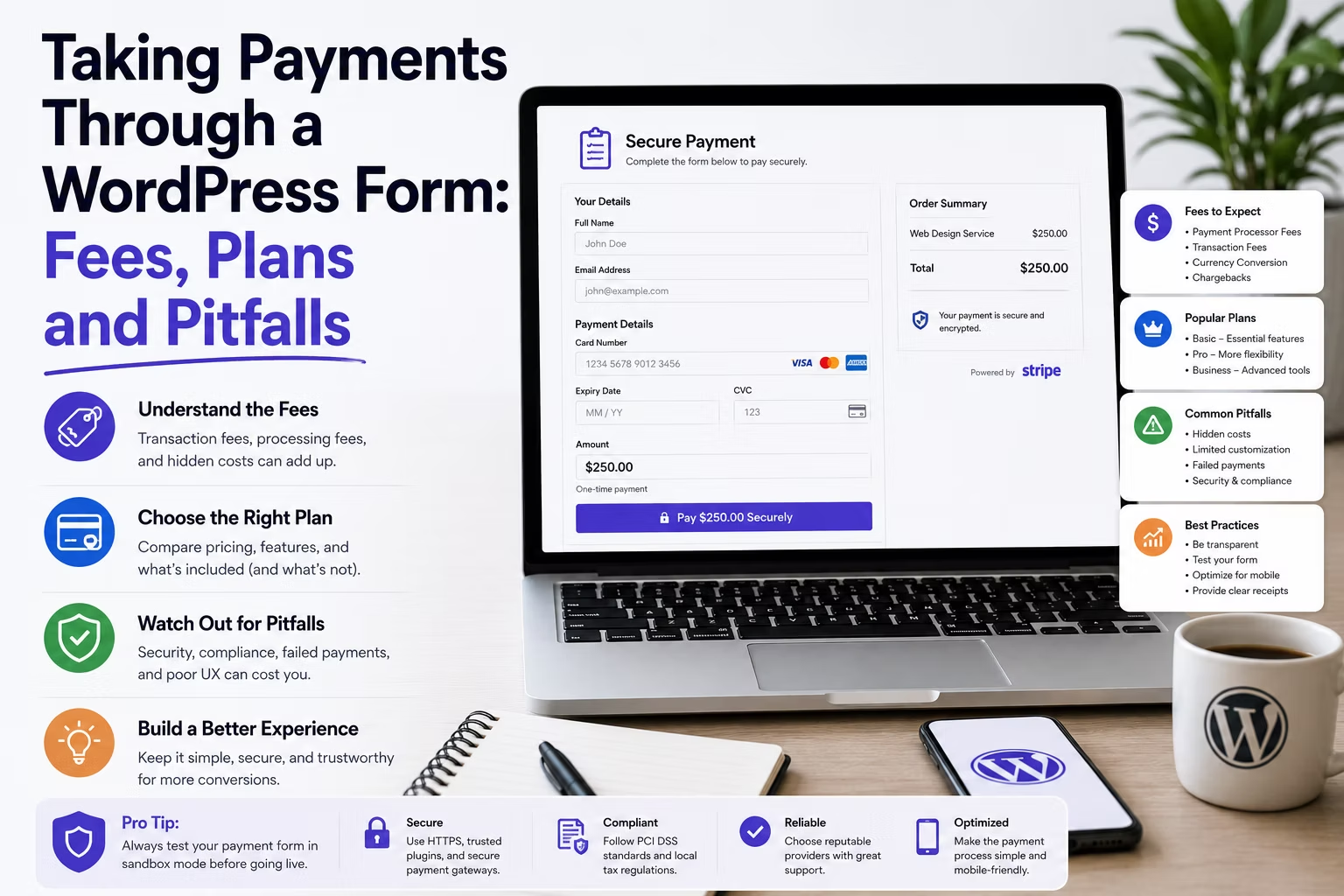
Not every business that needs to take money online needs a shop. A deposit on a booking, a consultation fee, an event ticket, a donation: these are single payments attached to a form, and building a WooCommerce store to handle them is a large amount of machinery for one transaction type.
A payment field on a form does the job in an afternoon. The catch is that the cost sits in three places at once, and only one of them appears on the plugin’s pricing page.
Disclosure: some links in this article are affiliate links. If you buy through them we may earn a commission at no extra cost to you. It does not change what we recommend.
The three costs, in order of size
- Processor fees. Stripe and PayPal take a percentage plus a fixed amount on every transaction. This is by far the largest number over time and it is unavoidable regardless of which plugin you choose.
- The licence tier that unlocks payments. Payment integrations are gated on both major form plugins. This is an annual cost, and it is the one people forget when quoting the work.
- A platform fee, if you get the licence wrong. Some plugins add their own percentage on top of the processor when you use payments on a free or lapsed licence.
That third one deserves attention because it is the trap. WPForms states plainly that active licence holders pay no transaction fees to WPForms, and that a 3 percent platform fee applies on the free version or with an inactive licence. A client whose renewal quietly lapses does not lose the payment form. They start paying an extra 3 percent on every transaction and nobody notices for months.
What the licence actually costs
Payments are not in the entry tier of either product, so price the tier you need rather than the headline number.
On Gravity Forms, the payment add-ons sit above the Basic licence, and the full add-on library including everything gated behind the top tier arrives at Elite. On the WPForms pricing page, Stripe and Square appear at the Pro tier alongside a five-site limit, with Authorize.Net and the CRM connectors reserved for Elite and its unlimited sites.
| What you need | Realistic tier | Notes |
|---|---|---|
| One client, Stripe only | Mid tier | Cheapest genuine option; check the site limit |
| Several client sites taking payments | Unlimited tier | One key beats tracking a stack of licences |
| Authorize.Net or a CRM connector | Top tier | These are the classic top tier gates |
| Recurring subscriptions | Top tier, usually | Verify against the current feature table |
Verify the current tier boundaries before quoting, because vendors move them. The point is structural rather than numerical: a payment form is a mid to top tier purchase on either product, and the renewal is a permanent line item. Where that fits into a portfolio budget is the same exercise as the cost per client site comparison runs for form licences generally.
When a form is the wrong tool
Form payments are excellent for a single, known amount attached to an enquiry. They are a poor substitute for commerce.
Move to WooCommerce or a hosted checkout when the client needs any of the following:
- Stock control, variations or a catalogue anyone browses.
- Tax calculation that varies by customer location.
- Refunds, partial refunds and order status handled by non-technical staff.
- Order history a customer can log in and view.
- Subscriptions with dunning, retries and card update flows.
The failure mode is predictable. A form-based payment works beautifully for six months, then the client asks for a refund workflow and a monthly report, and you discover the form entries table is not an order management system. Ask what happens after the payment, not just how it is taken.
The compliance points that actually matter
Card data must never touch the WordPress site. Both major plugins implement Stripe through its hosted elements, so the card number is captured by Stripe’s own iframe and the server never sees it. Anything that posts a raw card number to WordPress is a problem you should refuse to build.
Beyond that, three things get missed on nearly every first build:
- Strong customer authentication. European card payments require 3D Secure. Use the plugin’s modern Stripe integration rather than a legacy one, or a share of payments will simply fail.
- Idempotency on double submits. A visitor who clicks twice on a slow connection can create two charges. Disable the submit button on click and confirm the plugin guards against duplicate charges.
- The receipt is not optional. Send a confirmation with the amount, a reference and the client’s contact details. Its absence generates support calls and chargebacks in roughly equal measure.
Test with real money before handover
Test mode proves the integration works. It does not prove the money arrives, and those are different claims.
Before handover, run one genuine low-value transaction end to end. Confirm it appears in the processor dashboard, that the payout schedule is what the client expects, that the notification email arrives at the client’s real inbox, and that the entry records the payment reference so a payment can be matched to an enquiry later. Then refund it and confirm the refund path works too.
Notification delivery is the step that fails most often, because a payment confirmation is exactly the kind of transactional message that gets filtered when the domain is not authenticated. If the site’s mail is not already going through an authenticated service, sort that first, then test.
What to hand the client
A payment form quietly makes you responsible for the client’s revenue, so the handover needs more than a login.
Write down which processor account the money lands in and who controls it, which licence tier the payment feature depends on and when it renews, what happens if that renewal lapses, and who to contact when a payment fails. That last question always arrives at 4pm on a Friday. Building this into the maintenance agreement rather than answering it for free is covered in the breakdown of what agencies charge for WordPress maintenance.
Frequently Asked Questions
Do form plugins charge a fee on top of Stripe?
With an active paid licence, generally no. WPForms is explicit that active licence holders pay no transaction fee to WPForms and that only the processor’s own fee applies, but that a 3 percent platform fee applies on the free version or an inactive licence. Always check the current terms of the specific plugin, and make renewal a monitored item when payments depend on it.
Can I take recurring payments through a form?
On the higher tiers of the major plugins, yes, through the processor’s subscription support. Whether you should is a different question. Recurring billing brings failed payments, card expiry and cancellation requests, and a form plugin gives non-technical staff far less tooling to handle those than a proper commerce or membership platform.
Is a payment form PCI compliant?
It can be, provided card data never reaches your server. Modern Stripe integrations capture card details inside Stripe’s own hosted fields, which keeps the site out of scope for the strictest requirements. Using a gateway that posts raw card numbers to WordPress puts the client in a compliance position they almost certainly cannot support.
Should I use WooCommerce instead?
Use WooCommerce when there is a catalogue, stock, tax by location, or staff who need to manage orders and refunds without a developer. Use a payment form when there is a single known amount attached to an enquiry, such as a deposit or a consultation fee. The deciding question is what happens after the payment, not how it is collected.
What happens to the payment form if the licence expires?
The behaviour differs by vendor and it matters. Typically the form keeps working but you lose updates and support, and with at least one product a platform fee starts applying to every transaction. Treat a lapsed licence on a payment-taking site as an incident rather than an admin oversight, and monitor renewal dates across the portfolio.
Price the tier, not the plugin. Confirm what a lapsed licence does to transaction fees, keep card data off the site, and be honest about the point where a form stops being the right tool and a real commerce platform starts.
Need a WordPress developer?
Let's build something fast, scalable, and SEO-ready — from a custom theme to a full headless stack.
Get in Touch