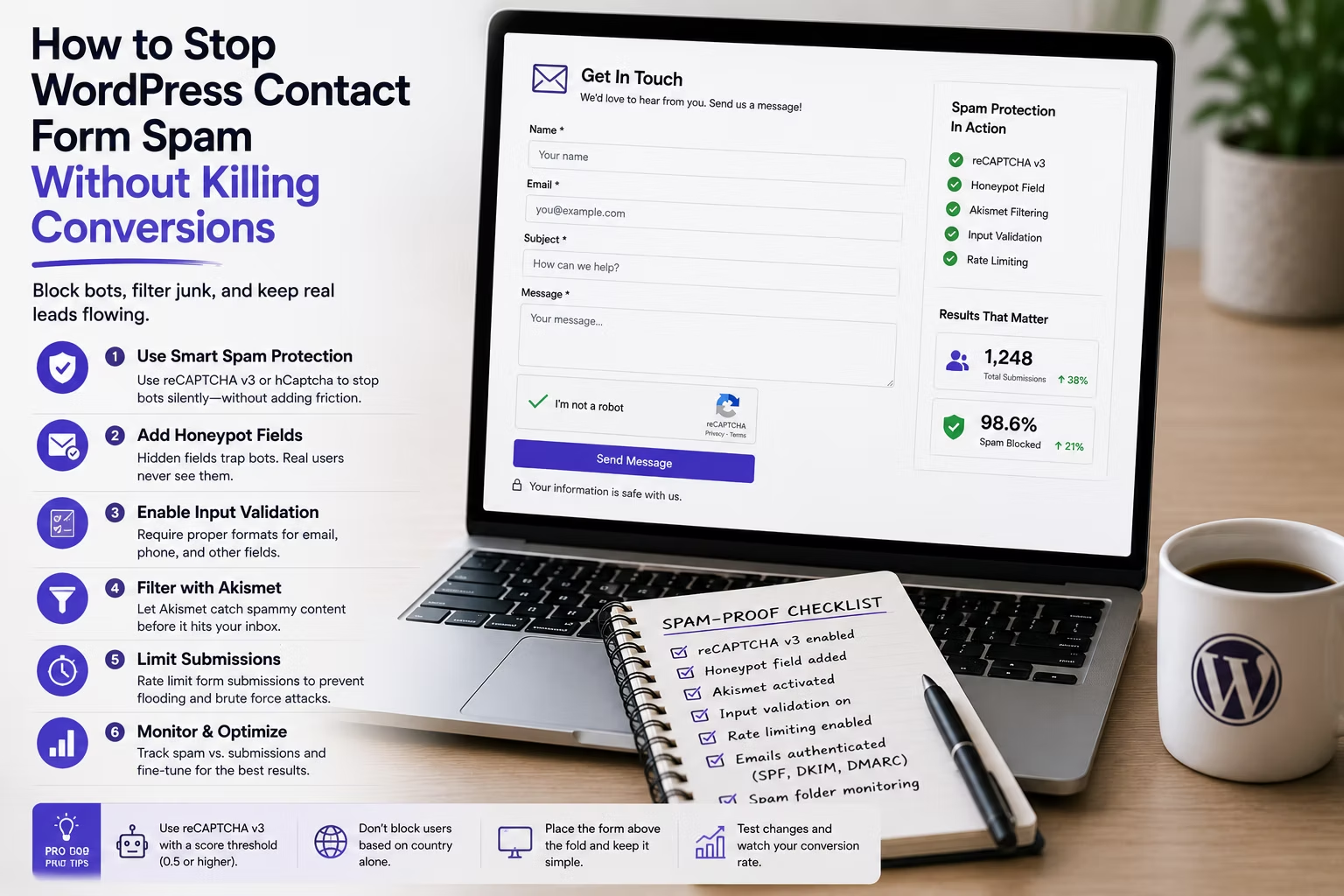
A client emails you on a Monday morning to say the contact form is broken. It is not broken. It is buried. Two hundred messages about SEO services and crypto have pushed the one real enquiry off the first screen, and nobody scrolled far enough to find it.
That is what form spam actually costs. Not server load, not database bloat, but a client who stops trusting the inbox and therefore stops checking it. The fix is not one setting. It is a stack of cheap filters applied in the right order, with the option that hurts conversions kept for last.
Disclosure: some links in this article are affiliate links. If you buy through them we may earn a commission at no extra cost to you. It does not change what we recommend.
Start with the layers that cost the user nothing
Every anti-spam measure sits somewhere on a trade-off between how much spam it blocks and how much friction it adds for a genuine visitor. The mistake most builds make is reaching straight for the option at the wrong end of that line.
Work through them in this order:
- Honeypot field. A hidden input that a human never sees and never fills. Bots that parse and complete every field give themselves away instantly. Zero friction, catches a surprising share of low-effort automation.
- Time trap. Record when the form rendered and reject anything submitted within two or three seconds. No human reads a quote form and completes it that fast.
- Keyword and country filters. Block submissions containing the phrases your client’s spam actually uses. Look at the last fifty junk messages and you will find five or six repeating strings.
- Akismet or a comparable content filter. Scores the message itself against a shared spam corpus. Very effective on prose-heavy fields such as a message box.
- CAPTCHA, last. Only when the four layers above have been tuned and something is still getting through.
Both of the major commercial form plugins ship the first two out of the box. WPForms has an anti-spam token and honeypot enabled by default on new forms, and Gravity Forms has carried a honeypot option in its form settings for years. If you are already paying for either, you have most of this available without installing anything else.
Why CAPTCHA is the last resort, not the first
A CAPTCHA is the only item on that list that a real person has to interact with, and interaction on a lead form is exactly what you are trying to protect.
The damage is uneven. On a newsletter signup, a checkbox challenge is barely noticed. On a five-field quote form from a mobile browser on a poor connection, an image grid that fails to load is the end of the enquiry. The visitor does not email you to complain. They close the tab, and the loss never appears in any report because a form that was never submitted leaves no record.
There is also a privacy dimension worth raising with clients. Google’s reCAPTCHA sends visitor signals to a third party, which in some sectors means an extra line in the privacy policy and an awkward conversation. Cloudflare Turnstile solves the same problem with no image puzzles and a lighter data footprint, and it is usually the better default in 2026 if a challenge is genuinely required.
Where the friction actually lands
| Method | Friction for a real visitor | What it stops |
|---|---|---|
| Honeypot field | None | Naive bots that fill every input |
| Time trap | None | Scripted submissions and replay attacks |
| Keyword and country filters | None, unless over-tuned | Repeat offenders and templated spam |
| Akismet content filter | None | Human-written and AI-written junk |
| Turnstile | Low | Most remaining automation |
| reCAPTCHA image challenge | High on mobile | Most remaining automation |
Read that table as an argument for effort rather than an argument against CAPTCHA. Tuning the four zero-friction rows takes about twenty minutes per site and removes the need for the last row on the large majority of business sites.
The rule that catches most agencies out
Never let an anti-spam rule silently discard a submission. Route rejected entries to a quarantine view or a separate label rather than deleting them, and check it weekly for the first month.
Over-tuned keyword filters are the single most common cause of a lost real enquiry. A blocklist containing the word loan works perfectly until the client takes on a mortgage broker. If a legitimate message is silently dropped, nobody finds out until the client asks why a customer who says they filled in the form never got a reply, and by then you have no record to check.
Prove it worked
Anti-spam work is easy to do and easy to fail at quietly, so measure it. Count spam and genuine submissions for the two weeks before you change anything, then the two weeks after. You are looking for spam down and genuine submissions flat or up. Spam down and genuine submissions also down means you added friction and paid for it.
Do this per site rather than assuming a house configuration carries across a portfolio. A local trades business and a B2B software client attract completely different spam, and a rule set that works for one will be either too loose or too aggressive for the other.
If the whole stack is under review rather than just the forms, the wider list of plugins worth standardising across client builds is a better place to start than adding another point solution.
Do not confuse spam with a security problem
Form spam is an annoyance. A form that lets an attacker upload an executable, inject headers into an outgoing email, or enumerate your users is a different category of problem entirely, and no CAPTCHA addresses it.
Keep file upload fields restricted to specific extensions and a sensible size limit, never place raw user input into an email header, and keep the form plugin itself updated, because form plugins sit on a public endpoint by definition. Where the boundary between nuisance and genuine attack matters, the comparison of what the main WordPress security plugins actually stop is the relevant read.
Frequently Asked Questions
Does a honeypot field still work in 2026?
Yes, against a large share of automated submissions, because most form spam is still generated by cheap scripts that fill every input they find. It will not stop a bot written specifically for one site, which is why it is the first layer and not the only one. Its real advantage is that it costs a genuine visitor nothing at all.
Is Turnstile better than reCAPTCHA for WordPress forms?
For most business sites, yes. Cloudflare Turnstile verifies visitors without image puzzles, which removes the mobile failure mode that quietly costs enquiries, and it collects less visitor data, which makes the privacy policy conversation simpler. reCAPTCHA remains a reasonable choice if a site is already deep in Google’s ecosystem.
Will blocking spam by country lose me real leads?
It can, and it is the filter to apply most carefully. It is defensible for a local trades business that only serves one region. It is a bad idea for anything with international customers, remote staff or clients who travel, because visitors on a VPN routinely appear to be somewhere they are not.
Should spam submissions still be stored in the database?
Store them briefly, then purge on a schedule. Keeping them for a week or two gives you a quarantine to check for false positives while you tune the rules. Keeping them forever bloats the entries table on every client site and creates a pile of unnecessary personal data you now have to account for.
Is the free version of a form plugin enough to handle spam?
For a simple contact form, usually yes. Free tiers generally include honeypot and token-based protection plus CAPTCHA integration, which covers the layers that matter most. The paid tiers buy you conditional logic, payments and CRM connections rather than better spam filtering, so upgrade for those reasons, not for this one. The cost per client site comparison covers what the paid tiers are genuinely worth.
Set the zero-friction layers on every build as standard, keep a quarantine you actually read, and reach for a visible challenge only when the numbers say you have to. Spam is a solved problem on most sites. Lost enquiries are not, and they are far more expensive.
Need a WordPress developer?
Let's build something fast, scalable, and SEO-ready — from a custom theme to a full headless stack.
Get in Touch